SEO Meaning in Simple Words
SEO is a way to help your website show up higher on Google when people search for something.
Think of Google like a huge “answer machine.” When someone types a question, Google tries to show the best and most helpful pages first. SEO helps Google understand your page clearly, so it can recommend it to the right people.
A simple way to say it:
- SEO helps your page get found.
- SEO helps the right people reach your page.
- SEO helps your page appear higher (not by luck, but by quality and clarity).
If your page is well-made, easy to read, and answers the searcher’s question better than others, Google is more likely to rank it.
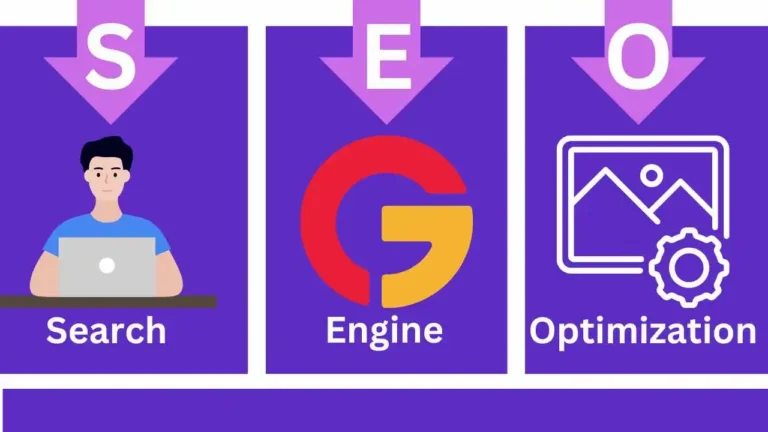
What Does “SEO” Stand For?
SEO stands for Search Engine Optimization.
Let’s break that into kid-simple words:
- Search Engine = a tool that helps you find things online (like Google, Bing).
- Optimization = improving something so it works better.
So, Search Engine Optimization means:
Improving your website so search engines can understand it and show it to people searching for that topic.
SEO is not a single trick. It’s a set of smart improvements like:
- using the right words people search,
- organizing your page with clear headings,
- making your website fast and mobile-friendly,
- and building trust so Google believes your page is a good answer.
SEO Explained With a Real-Life Example
Imagine your school has a giant library with thousands of books, but there’s one big problem:
If the books have no labels, no categories, and are stacked randomly, no one can find the right book,even if the book is amazing.
Now imagine the librarian creates:
- a proper title for every book,
- categories (Science, History, Stories),
- shelf labels,
- and a search card system that tells where each book is.
That is exactly what SEO does for your website.
Google = The Librarian
Google’s job is to organize the internet and help people find the best answer.
Your web page = A Book
Your page is like a book that can help someone, but only if it’s easy to find and clearly explained.
SEO = Labeling + Organizing + Improving the Book
SEO helps by:
- giving your page a clear topic (like a book title),
- using headings (like chapters),
- adding relevant words (like keywords),
- linking to related pages (like “see also”),
- and making the page easy to read (like simple writing and good formatting).
Without SEO: your page might be good, but “hidden on a random shelf.”
With SEO: your page becomes easy to understand, easy to trust, and easy to find.
What SEO Is Not (Common Confusions)
Many people misunderstand SEO. Here are the most common confusions,explained simply:
1) SEO is NOT paid advertising
- Ads show instantly, but you pay money for every click.
- SEO can bring free traffic over time because your page ranks naturally.
SEO is about earning your position by being helpful and clear,not buying it.
2) SEO is NOT “keyword stuffing”
Some people think SEO means repeating the same keyword again and again like this:
“What is SEO, SEO meaning, SEO guide, best SEO, SEO SEO SEO…”
That is not SEO. That is spam,and it can hurt rankings.
Real SEO means using the keyword naturally and also covering related terms in a helpful way, like:
- search engines
- ranking
- backlinks
- on-page SEO
- technical SEO
- search intent
3) SEO is NOT a magic trick or instant results
SEO usually takes time because Google tests and compares pages.
If someone promises:
- “#1 on Google in 24 hours”
- “Guaranteed rankings overnight”
Be careful. Real SEO is a process, not a shortcut.
4) SEO is NOT only about Google
Google is the biggest search engine, but SEO also helps your content get understood by:
- AI overviews and AI search assistants
- voice search tools
- other search engines (Bing, DuckDuckGo)
- “answer engines” that summarize content
When your content is structured clearly, it’s easier for both humans and machines to use it.
5) SEO is NOT just technical work
Yes, site speed and technical fixes matter, but SEO is not only coding.
A big part of SEO is:
- writing clear content,
- answering questions fully,
- and organizing information so it makes sense.
Tip: If your page is the best answer, and your site is healthy, you’re doing SEO the right way.
Why SEO Matters Today
SEO matters because most people use search engines to make decisions every day. They search before they buy, before they visit a place, before they hire a service, and even before they learn a new skill. If your website does not appear when people search, it is like having a shop in the middle of a desert,good quality, but no visitors.
SEO helps you show up at the exact moment someone needs what you offer.
It matters today even more because:
- People have shorter attention spans and want fast answers.
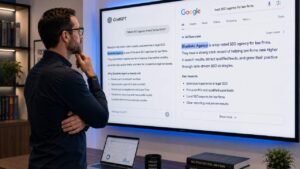
- Google often shows direct answers, maps, videos, and “top picks,” so only strong pages win.
- AI tools and “answer engines” summarize content, and they prefer pages that are clear, structured, and trustworthy.
- Competition is higher in almost every niche, so you need visibility to grow.
In simple words: SEO is how you become discoverable online without paying for every click.
Why People Click the Top Results
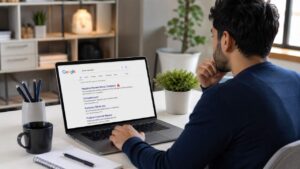
Most people click the top results because they trust Google’s order.
When you search, you usually do one of these:
- Click the first result that looks like it answers your question
- Click the result with the best title
- Click the result that feels most trustworthy
- Click the result that looks most relevant (exactly what you meant)
This happens for three main reasons:
1) The top results feel like the safest choice
People assume the top results are:
- more accurate,
- more popular,
- and more reliable.
2) The top results save time
Nobody wants to open 10 pages. The top results look like shortcuts to the best answer.
3) Google’s page design pushes attention upward
On many searches, people see:
- featured snippets,
- AI summaries,
- maps,
- “People also ask,”
- top organic links,
…and most attention stays near the top. If you are not near the top, fewer people even notice you.
So ranking is not only about traffic,it is also about attention and trust.
SEO vs Ads: What’s the Difference?
SEO and ads both bring visitors from Google, but they work very differently.
Ads (Paid Search)
- You pay Google to show your website.
- You can appear quickly.
- You pay for clicks (or impressions).
- When you stop paying, the traffic usually stops.
Ads are like renting a billboard. Fast, but it costs money continuously.
SEO (Organic Search)
- You improve your website so it earns its position.
- Results take time, but they can last.
- You do not pay for each click.
- Your rankings can keep bringing traffic for months or years if you maintain quality.
SEO is like building a strong reputation. Slower at the start, but it can grow and stay.
Simple comparison
- Ads = speed
- SEO = long-term growth
- Ads = pay per click
- SEO = earn clicks through quality
- Ads stop when money stops
- SEO can keep working even when you sleep
The smartest brands often use both:
- Ads for quick launches and instant visibility
- SEO for consistent growth and lower long-term costs
What You Gain From SEO (Traffic, Trust, Sales)
SEO is not just “more visitors.” The real goal is better visitors,people who are already looking for what you offer.
Here’s what you gain:
1) More targeted traffic (the right people)
SEO brings people who are searching with a purpose, like:
- “best color picker tool”
- “SEO agency in Lahore”
- “how to fix slow website”
- “PR agency for startups”
These visitors are not random. They are already interested, so they convert better.
2) Trust and credibility
When your website appears near the top, people assume:
- you are serious,
- you are established,
- and you know your topic.
Even if they do not click immediately, they remember your name. That is brand growth.
3) More leads and sales over time
SEO can turn into consistent business because:
- your content keeps bringing visitors,
- your pages rank for many related searches,
- and you build a steady pipeline instead of relying on sudden paid spikes.
This is especially powerful for:
- local businesses,
- service agencies,
- ecommerce stores,
- and tool websites.
4) Lower cost per visitor in the long run
SEO costs time and effort, but once a page ranks well:
- you are not paying per click,
- and you can get thousands of visits without increasing your budget every day.
5) Better visibility in AI summaries and modern search
If your content is structured clearly (good headings, direct answers, helpful examples), it is easier for:
- AI overviews,
- chat-based search,
- and voice assistants
to understand and use your content.
That means SEO today is not just about Google rankings. It is also about being the best “source” that machines choose to summarize.
How Search Engines Work
Search engines like Google have one main job: to find information, understand it, and show the best answer first.
They do not think like humans, but they follow very clear steps to decide which pages to show.
In the simplest form, search engines work in three main stages:
- Find pages (crawling)
- Understand and save pages (indexing)
- Decide order (ranking)
Let’s break each step down in the easiest possible way.
Crawling (How Google Finds Pages)
Crawling is how Google discovers new and updated pages on the internet.
Think of Google as having millions of tiny robots called crawlers (or bots). These bots move from page to page, just like a person clicking links.
They find pages by:
- following links from other websites,
- following internal links inside your site,
- reading sitemaps you provide,
- and revisiting known pages to check for updates.
Simple example
If your website is a city, crawling is Google walking through the streets to see which houses exist.
If a page:
- has no links pointing to it,
- is blocked by settings,
- or is hidden behind passwords,
Google may never find it.
That’s why:
- internal linking matters,
- clean site structure matters,
- and technical mistakes can block crawling.
No crawling = no chance to rank.
Indexing (How Google Stores Pages)
Indexing happens after Google finds a page.
When Google crawls your page, it asks:
- What is this page about?
- What topic does it cover?
- Is it useful?
- Is it original?
- Is it safe?
If Google understands the page and thinks it’s worth keeping, it stores it in a giant database called the index.
Simple example
Indexing is like Google saving your page in its notebook.
- Crawling = seeing the page
- Indexing = remembering the page
If a page is not indexed:
- it will not appear in search results,
- even if it is well written.
Common reasons pages are not indexed:
- very thin or copied content,
- technical errors,
- duplicate pages,
- pages blocked on purpose,
- or low-quality pages Google decides to ignore.
If your page is not indexed, it is invisible to search.
Ranking (How Google Chooses Who Comes First)
Ranking is the step everyone cares about.
When someone searches, Google:
- looks into its index,
- finds all pages related to the topic,
- compares them,
- and shows them in an order.
Google ranks pages based on many factors, including:
- how well the page matches the search,
- how helpful and clear the content is,
- how trustworthy the website seems,
- how fast and mobile-friendly the site is,
- how many good websites link to it,
- and how users interact with it.
Important point
Google does not rank websites in general.
It ranks individual pages for specific searches.
One page can rank high, while another page on the same site ranks low.
Ranking is about being the best answer for that exact search.
What Is an Algorithm?
An algorithm is simply a set of rules.
Google’s algorithm is a very large rule system that helps it decide:
- which pages to show,
- and in what order.
Easy example
Imagine your teacher checking homework:
- neat writing gets points,
- correct answers get points,
- clear explanations get points,
- copied work loses points.
The total score decides who gets the top grade.
Google’s algorithm works the same way, but automatically.
It checks things like:
- Is this page relevant?
- Is it easy to understand?
- Is it original?
- Do other websites trust it?
- Do users seem satisfied?
Then it scores pages and ranks them.
The algorithm:
- changes over time,
- improves to stop spam,
- and focuses more on helpful content.
That’s why modern SEO is not about tricks,it’s about making pages genuinely useful and easy to understand for both people and machines.
The 3 Main Types of SEO
SEO is not one single action. It is made up of three main parts, and all three work together.
You can think of SEO like a house:
- On-Page SEO = what’s inside the house (content and structure)
- Off-Page SEO = what people say about the house outside
- Technical SEO = the foundation, wiring, and plumbing
If one part is weak, the whole result suffers. Let’s understand each one in the simplest way.
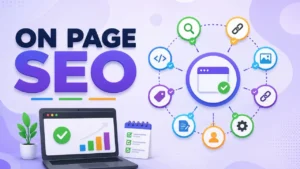
On-Page SEO (Things You Change on Your Page)
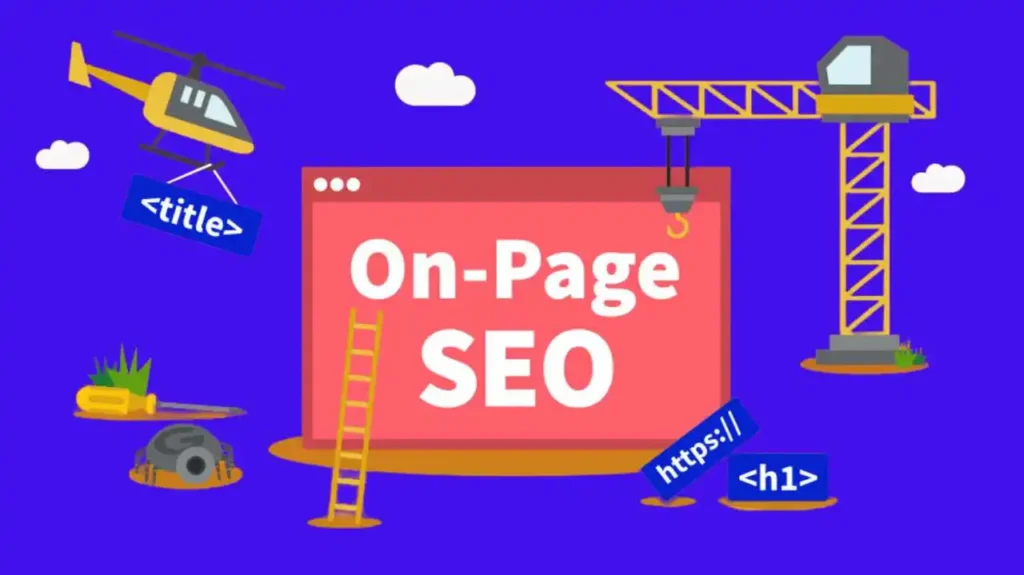
On-Page SEO is everything you control directly on your website page.
It helps search engines understand:
- what your page is about,
- who it is for,
- and why it is useful.
On-Page SEO includes things like:
- the words you use (keywords),
- your headings (H2, H3),
- your page title,
- your content quality,
- images and their descriptions,
- internal links to other pages.
Simple example
If your page is about “What is SEO,” On-Page SEO makes sure:
- the topic is clear,
- the explanation is simple,
- related ideas are covered,
- and the page is well organized.
Good On-Page SEO means:
- no confusion,
- no keyword stuffing,
- no missing explanations.
If your page answers the question better than others, your On-Page SEO is strong.
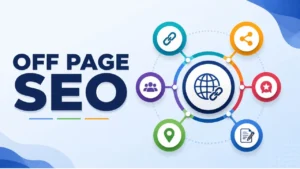
Off-Page SEO (Things Others Say About You)
Off-Page SEO is about reputation and trust.
It focuses on signals that come from outside your website and tell search engines:
“This site is worth listening to.”
The most important Off-Page SEO signals include:
- backlinks (other websites linking to you),
- brand mentions (people talking about your brand),
- reviews and ratings,
- citations in directories,
- digital PR mentions.
Simple example
Think about choosing a teacher:
- One teacher is recommended by many students.
- Another has no recommendations.
You naturally trust the recommended one more.
Google thinks the same way.
If many good websites:
- link to your page,
- mention your brand,
- or reference your content,
Google sees that as proof of trust.
Important note:
Off-Page SEO is not about getting many links.
It is about getting the right links from relevant and trustworthy sources.
Technical SEO (Site Health and Speed)
Technical SEO is about making sure your website works properly.
Even great content can fail if the site is:
- slow,
- broken,
- hard to use on mobile,
- or confusing for search engines to read.
Technical SEO covers things like:
- site speed,
- mobile-friendliness,
- security (HTTPS),
- clean URLs,
- proper indexing,
- fixing errors,
- and overall site structure.
Simple example
Imagine a book with great information, but:
- pages are torn,
- chapters are missing,
- the table of contents is broken.
No matter how good the content is, it’s hard to use.
Technical SEO makes sure:
- Google can crawl your site easily,
- pages load fast,
- users have a smooth experience,
- and nothing blocks your content.
Technical SEO does not create rankings by itself,but without it, rankings are limited.
Why All Three Types Must Work Together
- On-Page SEO tells Google what your page is about
- Off-Page SEO tells Google why your page should be trusted
- Technical SEO tells Google your site is reliable and usable
Strong SEO happens when:
- your content is clear,
- your reputation is solid,
- and your site works perfectly.
That balance is what modern search engines,and AI-driven search systems,reward.
On-Page SEO Checklist (The Most Important Part)
On-Page SEO is the core of SEO. If this part is weak, backlinks and technical fixes will not save you.
This checklist focuses on making your page clear for humans and easy for search engines and AI systems to understand.
Think of On-Page SEO as:
“How well does this page explain its topic?”
Below is the complete, practical breakdown.
Keywords: What They Are and Why They Matter
Keywords are the words or phrases people type into search engines.
Examples:
- “what is SEO”
- “SEO meaning”
- “how SEO works”
- “types of SEO”
Keywords matter because they:
- tell Google what your page is about,
- help your page appear for the right searches,
- connect user questions with your answers.
Important clarification
Keywords are not magic words you repeat again and again.
Modern SEO works like this:
- One main keyword (the core topic)
- Multiple related terms (supporting ideas)
For example, for “What is SEO,” related terms include:
- search engines
- ranking
- crawling
- indexing
- backlinks
- on-page SEO
When your content naturally covers these, Google understands your topic deeply.
Good SEO uses keywords naturally. Bad SEO forces them.
Search Intent (What the Searcher Really Wants)
Search intent means why someone is searching.
Before ranking your page, Google asks:
“Does this page match what the searcher wants?”
There are four common types of intent:
- Informational – learning something (“What is SEO?”)
- Navigational – finding a site (“Google Search Console”)
- Commercial – comparing options (“best SEO tools”)
- Transactional – ready to act (“hire SEO agency”)
For this page, the intent is informational.
That means your content should:
- explain clearly,
- avoid selling too early,
- answer questions step by step,
- use examples and simple language.
If your content does not match intent, it will not rank,even if it is long.
Titles That Get Clicks (Title Tag Basics)
The title tag is the blue clickable headline people see in search results.
It has two jobs:
- Tell Google what the page is about
- Convince humans to click
A strong title:
- includes the main keyword,
- sounds clear and helpful,
- promises value,
- stays within reasonable length.
Example structure:
- What Is SEO? A Simple Guide for Beginners
- What Is SEO? How Search Engines Rank Websites
Avoid titles that are:
- confusing,
- stuffed with keywords,
- misleading or clickbait.
Google rewrites bad titles.
Clear titles usually stay as-is.
Meta Description (What It Does and What It Doesn’t Do)
The meta description is the short text under the title in search results.
What it DOES:
- helps people decide whether to click,
- improves click-through rate,
- summarizes the page.
What it DOES NOT:
- directly improve rankings,
- replace good content.
A good meta description:
- explains what the page gives,
- uses simple language,
- sounds natural,
- stays concise.
Think of it as a mini invitation, not a ranking trick.
Headings (H2/H3) and How They Help Google Understand
Headings organize your content.
They help:
- users scan the page easily,
- search engines understand structure,
- AI systems extract answers.
Proper usage:
- H2 = main sections
- H3 = sub-points under each section
Headings should:
- describe what the section explains,
- be clear, not clever,
- include related terms naturally.
Bad headings confuse both readers and machines.
Good headings turn long content into clear, logical steps.
Content Quality: Helpful, Clear, and Complete
Content quality is the most important ranking factor.
High-quality content:
- answers the question fully,
- uses simple language,
- avoids fluff,
- explains concepts clearly,
- includes examples,
- covers related ideas.
For modern SEO and AI visibility, content must be:
- Helpful – actually solves the user’s problem
- Clear – easy to read and understand
- Complete – no important gaps
Long content alone does not rank.
Useful content does.
Internal Linking (Helping Users and Google)
Internal links connect pages inside your website.
They help:
- users discover related content,
- Google understand page relationships,
- pass importance between pages.
Good internal linking:
- uses natural anchor text,
- points to relevant pages,
- follows logical structure.
Example:
From “What is SEO” → link to:
- On-Page SEO
- Technical SEO
- SEO tools
- SEO glossary
Think of internal links as road signs for both users and search engines.
Image SEO (Alt Text Explained Simply)
Images help users,but search engines cannot “see” images.
Alt text is a short description that tells:
- search engines what the image shows,
- screen readers what to read aloud.
Good alt text:
- describes the image clearly,
- fits naturally,
- avoids keyword stuffing.
Example:
- “Diagram showing how search engines crawl and index pages”
Alt text improves:
- accessibility,
- image search visibility,
- content understanding.
URL Structure (Short, Clean, Easy)
Your page URL should be:
- short,
- readable,
- descriptive.
Good example:
- /what-is-seo/
Bad examples:
- long numbers,
- random characters,
- unnecessary words.
Clean URLs:
- improve trust,
- improve sharing,
- help search engines understand content faster.
E-E-A-T Explained (Trust + Proof)
E-E-A-T stands for:
- Experience
- Expertise
- Authoritativeness
- Trustworthiness
In simple words, Google asks:
“Can we trust this content?”
You show E-E-A-T by:
- explaining things clearly,
- giving accurate information,
- using real examples,
- staying honest,
- avoiding exaggerated claims,
- keeping content updated.
You don’t need to be famous.
You need to be useful, accurate, and honest.
That is what search engines,and AI systems,prefer.
Off-Page SEO (Authority Building)
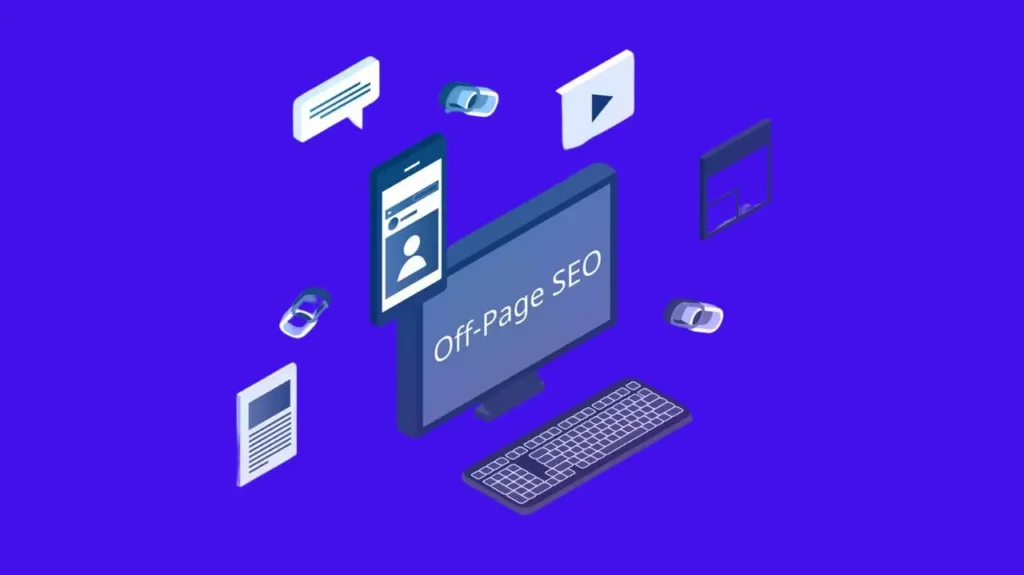
Off-Page SEO is about trust, reputation, and authority.
While On-Page SEO tells search engines what your page is about, Off-Page SEO tells them how much your page should be trusted.
Search engines do not rely only on what you say about yourself. They also look at what others say about you. That is why Off-Page SEO is often called authority building.
In simple words:
- If many trusted websites refer to you, search engines trust you more.
- If no one talks about you, your authority stays low.
Backlinks: “Votes” From Other Websites (Simple Example)
A backlink is a link from another website to your website.
Search engines treat backlinks like votes of confidence.
Simple real-life example
Imagine a school competition:
- One student is recommended by many good teachers.
- Another student is recommended by no one.
The student with recommendations looks more reliable.
Backlinks work the same way.
When a reputable website links to your page, it tells search engines:
“This page is useful and worth sharing.”
Not all votes are equal. A link from a trusted, relevant website is far more valuable than many links from low-quality sites.
Backlinks help search engines decide:
- which pages deserve higher rankings,
- which websites are trusted in a topic,
- and which sources are worth showing first.
What Makes a Backlink Good vs Bad
Not every backlink helps. Some links can even hurt your site.
A good backlink usually has:
- relevance (same or related topic),
- trust (from a reputable website),
- natural placement (inside useful content),
- real traffic potential,
- honest intent (not forced or spammy).
Example of a good link:
- A marketing blog linking to your SEO guide as a helpful reference.
A bad backlink usually has:
- no relevance,
- low-quality or spammy sites,
- paid or manipulated placement,
- unnatural anchor text,
- links from link farms or automated sites.
Example of a bad link:
- Hundreds of random links from unrelated sites that exist only to sell links.
Search engines are very good at spotting unnatural patterns.
Quality always beats quantity.
Brand Mentions (When People Talk About You Without Linking)
A brand mention is when:
- your brand name,
- website name,
- or business name
is mentioned on another website without a clickable link.
Even without a link, brand mentions matter because they:
- show real-world recognition,
- signal trust and popularity,
- help search engines understand brand authority.
Example:
- A blog mentions your company name in an article.
- A forum discussion talks about your tool or service.
Search engines use these mentions as contextual signals, especially for:
- local SEO,
- brand searches,
- and reputation assessment.
In modern search, authority is not only links,it is also presence and credibility.
Digital PR vs Link Building (Difference Explained)
Link building and digital PR are related, but they are not the same.
Link Building (Traditional)
- Focuses mainly on getting links.
- Often done through outreach, guest posts, or placements.
- Success is measured by number and quality of backlinks.
Link building works best when it is:
- natural,
- relevant,
- and content-driven.
Digital PR (Modern Approach)
- Focuses on visibility, reputation, and stories.
- Earns links, mentions, and coverage naturally.
- Appears in news articles, features, interviews, and reports.
Digital PR aims to:
- build brand authority,
- earn trust,
- create long-term recognition.
Key difference in simple words:
- Link building asks for links.
- Digital PR earns attention.
Search engines value both, but digital PR often brings:
- higher-quality links,
- stronger brand mentions,
- and better long-term authority.
That is why modern SEO relies less on shortcuts and more on genuine visibility and trust-building.
Technical SEO (The “Engine” of Your Website)
Technical SEO is the behind-the-scenes work that helps your website run smoothly.
If content is the body of your website, technical SEO is the engine that keeps everything working.
A website can have great content, but if it is slow, broken, or confusing for Google to read, it will struggle to rank.
Technical SEO helps:
- search engines access your website,
- understand how pages are connected,
- and deliver a good experience to users.
You don’t need to be a programmer to understand it. Think of technical SEO as basic website health.
Site Speed (Why It Matters)
Site speed means how fast your page loads when someone opens it.
Imagine clicking a link and waiting… and waiting… and waiting.
Most people leave if a page takes more than a few seconds.
Google notices this behavior.
Why speed matters:
- Users stay longer on fast sites
- Slow sites lose visitors
- Google prefers fast pages because they create a better experience
Simple examples:
- A fast page feels smooth and instant
- A slow page feels broken or outdated
What usually slows a site:
- very large images,
- too many scripts,
- cheap or overloaded hosting.
You don’t need perfection,you need “fast enough” so users are happy.
Mobile-Friendly Design
Most people search on phones, not computers.
If your website looks bad or is hard to use on a phone, Google sees that as a problem.
A mobile-friendly website:
- fits the screen properly,
- has readable text (no zooming),
- buttons are easy to tap,
- content loads quickly on mobile data.
Google now checks mobile first, meaning:
Google looks at the mobile version of your site before the desktop version.
If your site works well on mobile, you’re already ahead of many competitors.
HTTPS Security (The Lock Icon)
HTTPS is what gives your website the small lock icon in the browser.
That lock means:
- the connection is secure,
- data is protected,
- visitors can trust the site.
Websites without HTTPS:
- may show “Not Secure” warnings,
- scare visitors,
- and look unsafe to Google.
HTTPS does not directly make you rank higher on its own, but:
- it builds trust,
- it protects users,
- and it is considered a basic requirement today.
Every serious website should have HTTPS.
Sitemaps and Robots.txt (Simple Explanation)
These two files are like instructions for Google.
Sitemap (XML Sitemap)
A sitemap is a file that:
- lists your important pages,
- tells Google what exists on your site.
Think of it as a map of your website.
It helps Google:
- find new pages faster,
- understand your site structure,
- avoid missing important content.
Robots.txt
Robots.txt tells search engines:
- which pages they can visit,
- and which pages they should ignore.
It’s like a “Do Not Enter” sign for certain areas of your site (like admin pages).
Used correctly, these files help Google crawl your site efficiently.
Duplicate Content (What It Is, Why It Hurts)
Duplicate content means the same or very similar content appears in more than one place.
Example:
- the same page accessible with different URLs,
- copied text across multiple pages,
- print versions and normal versions of the same page.
Why duplicate content is bad:
- Google gets confused about which page to rank,
- ranking power gets split,
- your pages compete against each other.
This does not always mean a penalty,but it weakens your SEO.
The goal is simple:
One topic = one strong, clear page.
Structured Data (Schema) in Plain English
Structured data is a way to label your content so search engines understand it better.
It tells Google:
- “This is a product”
- “This is a review”
- “This is a FAQ”
- “This is an article”
Think of it like adding name tags to your content.
Benefits of structured data:
- helps Google understand context,
- can create rich results (stars, FAQs, extra info),
- improves visibility in search results.
It does not guarantee higher rankings, but it helps your content stand out and be understood clearly.
Core Web Vitals (What You Actually Need to Know)
Core Web Vitals are Google’s way of measuring user experience.
You don’t need to memorize technical names. You only need to understand the idea:
Google checks:
- How fast the main content loads
- How quickly the page becomes usable
- How stable the page is while loading
In simple words:
- Does it load quickly?
- Can I use it without delay?
- Does the page jump around while loading?
If your page feels smooth and stable, you’re likely doing fine.
You don’t need “perfect scores.”
You need a website that feels good to use.
Simple Technical SEO Summary
Technical SEO is about:
- speed,
- safety,
- structure,
- and usability.
If your website:
- loads fast,
- works well on mobile,
- is secure,
- has clear structure,
- and avoids technical confusion,
then your “engine” is healthy,and your content can actually compete in rankings.
Local SEO (If You Serve a City Like Lahore, Dubai, London Or Any Other)
Local SEO helps your business show up when people search for services near them.
For example:
- “SEO agency in Lahore”
- “plumber near me”
- “best dentist in Dubai”
In these searches, Google does not show random websites. It shows businesses that:
- are actually related to that city,
- are trusted locally,
- and are easy for Google to verify.
Local SEO is especially important for:
- offices,
- shops,
- agencies,
- clinics,
- restaurants,
- and any business that serves a specific city or area.
If normal SEO helps you rank on Google, Local SEO helps you rank on Google Maps and local results.
What Is Google Business Profile?
Google Business Profile is your official business profile on Google.
It is the box you often see on the right side of Google or inside Google Maps that shows:
- business name,
- address,
- phone number,
- website,
- location on the map,
- reviews,
- photos,
- opening hours.
Think of it as your digital shop board on Google.
Why it matters:
- Google trusts information it controls.
- Local results heavily depend on this profile.
- Many users never visit websites—they call directly from this profile.
A well-optimized profile tells Google:
“This business is real, active, and serves this location.”
Without a proper Google Business Profile, ranking locally becomes very difficult, even if your website is good.
NAP Consistency (Name, Address, Phone)
NAP stands for:
- Name
- Address
- Phone number
NAP consistency means your business details must be exactly the same everywhere online.
Example:
If your business name is written as:
- “Bluelinks Agency” on your website
- “Bluelinks Agency” on a directory
- “Bluelinks” on Google
Google gets confused.
And when Google is confused, rankings drop.
Why NAP matters so much:
Google checks your information across:
- your website,
- Google Business Profile,
- directories,
- social profiles,
- local listings.
If everything matches, Google feels confident that:
- your business is real,
- your location is correct,
- and users can trust you.
Local SEO is built on accuracy and consistency, not tricks.
Reviews and Why They Change Rankings
Reviews are one of the strongest signals in Local SEO.
They help Google answer one simple question:
“Do people trust this business?”
How reviews affect rankings:
- More reviews = more activity
- Better ratings = higher trust
- Fresh reviews = business is active
- Review keywords = more relevance
For example, if people mention:
- “SEO services in Lahore”
- “best digital agency in Dubai”
inside reviews, Google connects your business with those searches.
Why reviews influence clicks:
Even if two businesses rank the same, users almost always choose:
- higher rating,
- more reviews,
- recent feedback.
So reviews help in two ways:
- Better rankings
- More calls and visits
Fake reviews or paid reviews are risky. Real, honest feedback always wins in the long run.
Local Citations (Directories) Explained Simply
A local citation is any online mention of your business that includes:
- name,
- address,
- phone number,
- sometimes website.
Examples include:
- business directories,
- local listings,
- industry-specific sites,
- city-based portals.
Think of citations as proof cards for your business.
Each correct citation tells Google:
“Yes, this business exists and operates in this location.”
Why citations matter:
- They strengthen location trust
- They support your Google Business Profile
- They help Google verify your NAP information
Quality matters more than quantity.
A few correct and relevant listings are far better than many random ones.
Local SEO becomes strong when:
- your Google profile is complete,
- your NAP is consistent,
- your reviews are real,
- and your business is mentioned correctly across the web.
What Is Semantic SEO? (Explained in the Easiest Way)
Semantic SEO is about meaning, not just words.
In the past, Google tried to rank pages by matching exact keywords.
Today, Google tries to understand:
- what your page is really about,
- what problem it solves,
- and whether it fully answers the searcher’s question.
Semantic SEO helps Google understand the full topic, not just one phrase.
A very simple way to explain it:
Semantic SEO means writing in a natural, complete, and helpful way so search engines understand the idea behind your content.
If someone searches:
- “What is SEO?”
Google is not only looking for pages that repeat “SEO” many times.
It is looking for pages that clearly explain:
- search engines,
- rankings,
- keywords,
- backlinks,
- on-page SEO,
- technical SEO,
- user intent,
- and real examples.
That full understanding is semantic SEO.
Keywords vs Topics (What Google Really Understands)
A keyword is a specific phrase people type into Google.
A topic is the bigger idea behind that phrase.
Example:
- Keyword: “What is SEO?”
- Topic: “How search engines rank websites and how to optimize content for visibility”
Google does not rank single words anymore.
It ranks pages that cover a topic completely.
That’s why two pages can rank for the same keyword even if:
- they use different wording,
- different sentence structures,
- and different examples.
Google understands:
- synonyms,
- related concepts,
- and natural language.
If your page explains the topic clearly, Google can match it to many searches—even ones you never directly wrote.
Entities: People, Places, Brands (With Examples)
An entity is a real, identifiable thing that Google understands as a concept.
Entities can be:
- people,
- companies,
- places,
- brands,
- tools,
- concepts.
Examples:
- A person (like a known marketer)
- A brand (a search engine)
- A place (a city or country)
- A concept (like “on-page SEO”)
Google connects entities together to understand meaning.
For example:
When a page talks about SEO and also mentions:
- search engines,
- websites,
- rankings,
- content,
- links,
Google understands that this page belongs to the SEO knowledge space.
Using entities naturally helps Google:
- confirm your topic,
- understand context,
- and trust your content.
You don’t add entities to “game the system.”
You include them because they are part of the topic.
Topical Authority (How to Become “The Best Answer”)
Topical authority means Google sees your website as a trusted source for a specific subject.
It does not come from one article.
It comes when:
- you cover a topic deeply,
- you answer many related questions,
- and your content connects logically.
Example:
If your website has:
- “What is SEO?”
- “On-Page SEO Explained”
- “Technical SEO Basics”
- “Local SEO Guide”
- “Common SEO Mistakes”
Google starts to think:
“This site knows SEO very well.”
That is topical authority.
When you have topical authority:
- new pages rank faster,
- rankings are more stable,
- and Google trusts your content more.
Topical authority is built by depth, clarity, and consistency—not shortcuts.
LSI Keywords vs Related Terms (Clear Difference)
Many people get confused about this.
LSI keywords are often misunderstood.
In simple terms:
- LSI keywords are not a special Google feature.
- Google does not look for a fixed list called “LSI keywords.”
What actually matters are related terms.
Example:
If your topic is “SEO,” related terms naturally include:
- search engines,
- rankings,
- keywords,
- backlinks,
- content optimization,
- website traffic.
These are not added to “please Google.”
They appear because you are explaining the topic properly.
If your content is clear and complete, related terms will naturally appear without forcing them.
How to Add Semantic Coverage Without Stuffing Keywords
This is where many people fail.
Semantic SEO is not about repeating words.
It is about answering questions.
Here’s how to do it correctly:
- Understand the main question
Ask: “What does the reader really want to know?” - Break the topic into small, clear sections
Use headings that explain parts of the topic logically. - Answer related questions naturally
Explain concepts the reader might ask next. - Use simple language, not forced keywords
Write like you are teaching a smart 12-year-old. - Add examples and explanations
Examples make meaning clear—for users and search engines.
When you focus on being helpful and complete, semantic coverage happens automatically.
Google, AI systems, and answer engines prefer content that:
- explains clearly,
- connects ideas naturally,
- and leaves no confusion.
That is the real power of Semantic SEO.
SEO Content Types That Rank (With Examples)
Not all content ranks the same on Google. Some types of content are naturally better at answering search questions, which makes them easier to rank—especially in AI overviews, featured snippets, and long-term organic results.
Google’s main goal is simple:
show the best possible answer for each search.
The content types below work well because they match how people search, read, and decide.
Guides (Like This One)
Guides are long, detailed pages that explain a topic from start to finish.
This page you’re reading right now is a guide.
Why guides rank well
- They cover a topic deeply, not just one small part.
- They answer many related questions in one place.
- They help Google see your site as an authority on that topic.
- They are perfect for AI summaries and overviews because the information is well-structured.
Best use cases for guides
- “What is SEO?”
- “How does Google ranking work?”
- “Beginner’s guide to digital marketing”
What makes a guide rank
- Clear headings (H2, H3)
- Simple language
- Real examples
- Step-by-step explanations
- Updated information
A good guide makes the reader think:
“I don’t need to search anywhere else.”
That’s exactly what Google wants.
Listicles (Top 10, Best of)
Listicles are content pieces written in a list format, usually with numbers.
Examples:
- Top 10 SEO Tools
- Best Free Keyword Research Tools
- 7 SEO Mistakes to Avoid
Why listicles rank well
- People like lists because they are easy to scan.
- They match comparison-based search intent.
- Google often shows them in featured snippets.
- AI tools can easily extract structured answers from them.
When to use listicles
- When users are comparing options
- When they want recommendations
- When the search includes words like:
- best
- top
- tools
- software
- agencies
What makes listicles powerful
- Clear criteria for ranking items
- Short but useful explanations
- Honest pros and cons
- Updated rankings (year included when relevant)
Listicles work best when they help users decide, not just browse.
Product Pages (Ecommerce SEO Basics)
Product pages are pages that sell something—physical products, digital tools, or services.
Examples:
- A phone product page
- A SaaS pricing page
- A tool feature page
Why product pages can rank
- They match buying intent
- Users already know what they want
- Google wants to show clear, trustworthy product information
What makes a product page rank
- Clear product title
- Simple description (not copied from other sites)
- Features and benefits explained clearly
- High-quality images with alt text
- Reviews and trust signals
- Fast loading and mobile-friendly design
Common mistake
Many people write product pages only for selling—not for explaining.
A strong product page:
- explains the problem,
- shows how the product solves it,
- answers common doubts,
- and makes buying feel safe.
When product pages educate first and sell second, they rank better.
Blog Posts vs Landing Pages (Which One to Use?)
Many beginners confuse blog posts and landing pages, but they serve different purposes.
Blog posts
- Used for informational searches
- Answer questions
- Teach or explain something
Examples:
- “How SEO works”
- “Why website speed matters”
- “SEO tips for beginners”
Blog posts are best when the user wants to learn.
Landing pages
- Used for action-based searches
- Designed to convert (sign up, contact, buy)
Examples:
- “SEO services in Lahore”
- “Free SEO audit”
- “Best digital marketing agency”
Landing pages are best when the user is ready to act.
Simple rule to remember
- If the search starts with what, how, why → write a blog post.
- If the search includes service, price, agency, hire → use a landing page.
Choosing the right page type helps Google understand your intent—and helps users get what they want faster.
FAQs and Glossary Pages (Why They Work)
FAQs and glossary pages are some of the most underrated SEO assets.
FAQs (Frequently Asked Questions)
FAQ pages answer short, specific questions.
Why they rank:
- They match voice search and AI queries
- They work well for featured snippets
- They improve topical coverage
- They reduce confusion for users
Good FAQ answers are:
- short but clear
- written in simple language
- focused on one question at a time
Glossary pages
Glossary pages explain individual terms.
Examples:
Why glossary pages work:
- They target definition-based searches
- They help build topical authority
- They are easy for AI systems to reference
- They create strong internal linking opportunities
When FAQs and glossary pages are connected to guides and blog posts, your site becomes a knowledge hub, not just a blog.
SEO Tools (Beginner-Friendly)
SEO tools are like “helper apps” that show you what’s happening on your website and what people are searching for. They do not do SEO for you automatically, but they make SEO faster, clearer, and more accurate.
A beginner-friendly way to think about it:
- SEO tools help you see problems (like slow pages, broken links, missing titles).
- SEO tools help you find opportunities (keywords you can rank for, pages that need improvement).
- SEO tools help you measure results (traffic, clicks, rankings, conversions).
If you’re starting out, you do not need 20 tools. You need a small set that covers:
- what people search
- how your site performs
- how to improve content
- how to track growth
Free Tools (Google Search Console, Analytics, Trends)
These are the core “must-have” tools because they come from Google (or are widely used), and they cover the basics without costing anything.
1) Google Search Console (GSC) – Most Important Tool
What it does:
Search Console shows how your website performs in Google Search.
What you can learn from it:
- What keywords people typed to find you
- Which pages get clicks
- Your average ranking positions
- Which pages need improvement
- Technical issues Google finds on your site
Beginner tasks you should do in GSC:
- Check Performance: See top queries and top pages.
If a page is ranking on position 8–15, it’s often an easy win—improve it and it can move up. - Find “low CTR” pages: If impressions are high but clicks are low, rewrite the title/meta for better clicks.
- Check Indexing: Make sure important pages are indexed (included in Google).
- Check Coverage/Errors: Fix broken pages, redirect issues, and crawl problems.
- Submit a sitemap: Helps Google discover your pages faster.
Why it’s powerful:
GSC is “direct data from Google.” It tells you what Google is seeing.
2) Google Analytics (GA4)
What it does:
Analytics shows what people do on your website after they land there.
What you can learn from it:
- How many visitors you get
- Where they came from (search, social, referral)
- Which pages they view most
- How long they stay
- Whether they take actions (contact form, purchase, sign-up)
Beginner tasks you should do in GA4:
- Identify top organic landing pages (pages that bring search traffic)
- See which pages have high bounce/low engagement and improve them
- Track conversions (leads, purchases, button clicks)
Important note:
Analytics helps you understand user behavior. SEO is not only ranking—SEO is also making users satisfied once they click.
3) Google Trends
What it does:
Trends shows what topics are growing or declining in popularity.
When to use it:
- You’re choosing between two keywords
- You want seasonal content (for example: “best budget phones” trends change)
- You want to see whether interest is rising or falling
Beginner example:
If you’re writing “best free VPN,” Trends can show if people are searching more this year than last year, and which countries search it most.
4) PageSpeed Insights (and Core Web Vitals basics)
What it does:
It checks your page speed and user experience, especially on mobile.
What beginners should care about:
- If your site is slow, visitors leave faster.
- Google prefers pages that load smoothly and feel stable.
You don’t need to understand every metric in the beginning—just focus on making pages faster and more stable, especially on mobile.
5) Keyword research (free options)
Even without paid tools, you can still find good keywords using:
- Google autocomplete suggestions
- “People also ask” questions
- “Related searches”
- Google Keyword Planner (free with an Ads account)
- Browsing competitors’ headings and FAQ sections (for content ideas, not copying)
A beginner trick that works:
Search your topic and write down the exact questions you see in “People also ask.” Then answer them clearly in your article.
Paid Tools (Ahrefs/Semrush Alternatives Mention Optionally)
Paid tools usually help you do two things better:
- Competitor research (what ranks, why it ranks, what keywords they get traffic from)
- Technical and content audits (what to fix, what to optimize)
If Ahrefs or Semrush are too expensive, here are beginner-friendly “alternatives” you can consider:
1) Ubersuggest
Best for: Beginners who want a simpler interface.
What it helps with: Keyword ideas, basic competitor research, content suggestions.
Good if you want something easy and affordable to start.
2) Mangools (KWFinder + SERPChecker)
Best for: Finding keywords with manageable competition.
What it helps with: Keyword research, SERP analysis, rank tracking.
Good for bloggers and small sites.
3) SE Ranking
Best for: All-in-one SEO at a lower cost than the biggest tools.
What it helps with: Rank tracking, audits, keyword research, competitor analysis.
Good for agencies and growing sites.
4) Moz
Best for: Simple SEO metrics and beginner learning.
What it helps with: Keyword research, link analysis, on-page optimization.
Good for a clean, guided approach.
5) Screaming Frog (desktop crawler)
Best for: Technical SEO audits.
What it helps with: Finding missing titles, broken links, duplicate content, redirect chains, crawl issues.
This one feels more “technical,” but it’s extremely useful once your site grows.
Key advice:
If you can afford only one paid tool, choose based on your need:
- mostly content + keywords → a keyword-focused tool
- mostly fixing website issues → a technical audit tool
- tracking rankings for clients → a rank tracking platform
Simple SEO Tool Stack for Beginners
Here is a clean “starter stack” that covers almost everything without overwhelming you.
Level 1: The “Free Starter Stack” (enough for most beginners)
- Google Search Console (rankings + queries + indexing)
- Google Analytics (GA4) (traffic + behavior + conversions)
- Google Trends (topic validation + seasonality)
- PageSpeed Insights (speed + mobile experience)
What you can do with just these:
- Find what’s already ranking
- Improve low-performing pages
- Track traffic growth
- Fix obvious issues
- Choose better topics
Level 2: The “Content & Keyword Stack” (when you publish often)
Add one paid tool (optional):
- Mangools / Ubersuggest / SE Ranking (choose one)
Use it for:
- Finding easier keywords
- Understanding competitor pages
- Discovering content gaps (topics you’re missing)
Level 3: The “Technical + Growth Stack” (for serious scaling)
Add:
- Screaming Frog (technical audits)
- A rank tracker (if not included in your paid tool)
- Optional backlink monitoring (depends on your strategy)
Use it for:
- catching site-wide SEO issues early
- maintaining quality across hundreds of pages
- scaling content without losing structure
A Pro Tip for Beginners (That Actually Improves Rankings)
Do this once a week:
- Open Search Console → Performance
- Find queries where you rank between positions 8–20
- Improve the page by adding:
- clearer headings
- missing questions (FAQs)
- examples
- better intro and summary
- internal links to related pages
This is one of the fastest “safe” ways to grow SEO without risky shortcuts.
FAQs About SEO
Is SEO Free?
Yes and no.
SEO does not require paying Google to rank. That part is free. You can get traffic without running ads.
However, SEO still needs:
- time,
- effort,
- learning,
- and sometimes tools or help.
If you do SEO yourself:
- you pay with time and patience.
If you hire someone or use paid tools:
- you pay with money to save time.
The good news is:
Once your page ranks, it can bring traffic again and again without paying per click, which is why SEO is considered a long-term investment, not a daily expense.
Can I Learn SEO Without Coding?
Yes. Absolutely.
Most SEO work does not require coding.
You can learn and do SEO by:
- writing clear content,
- choosing the right topics,
- organizing pages properly,
- improving titles and headings,
- and understanding what users are searching for.
Basic technical tasks (like installing plugins, adding titles, or improving speed) can be done with:
- website builders,
- CMS tools (like WordPress),
- or simple settings.
Coding can help later, but it is not required to start or succeed in SEO.
Is SEO Hard?
SEO is not hard, but it does require consistency.
Think of SEO like learning a new subject:
- At first, terms feel confusing.
- With practice, patterns become clear.
- Over time, it becomes logical and repeatable.
What makes SEO feel hard:
- too much information at once,
- chasing shortcuts,
- or copying without understanding intent.
What makes SEO easier:
- focusing on one topic,
- writing for people first,
- improving pages slowly instead of rushing.
If you can explain something clearly to another person, you can do SEO.
What’s the Best Way to Start SEO?
The best way to start SEO is simple and focused.
Follow this beginner path:
- Pick one topic you understand or want to learn
- Find one main keyword people search for
- Look at the top results and ask:
- What questions are they answering?
- What is missing?
- Write a better, clearer, and more complete page
- Use:
- clear headings,
- simple language,
- examples,
- and a short summary
- Publish and improve the page over time
Do not try to learn everything at once.
One good page is better than ten rushed ones.
Does Social Media Help SEO?
Social media does not directly change Google rankings, but it still helps SEO in indirect ways:
Here’s how:
- Your content reaches more people
- More people visit your site
- Some people may link to your content
- Your brand becomes more recognizable
- Engagement signals increase
Think of social media marketing as a content amplifier:
- SEO helps people find you on search
- Social media helps more people discover you faster
When both work together, growth becomes stronger and more natural.
Conclusion: SEO in One Minute
SEO is about helping search engines understand your content and helping users get the best answer.
You don’t need tricks, shortcuts, or complex systems.
If your page:
- answers the question clearly,
- is easy to read,
- is well-organized,
- and is technically healthy,
Google has a reason to rank it.
SEO is not about gaming the system—it’s about building the best answer.
The “3 Things to Remember” Recap
If you remember only three things about SEO, remember these:
- SEO is clarity, not tricks
Make your topic, purpose, and message clear. - SEO is about people first
If users understand and trust your page, search engines usually do too. - SEO improves over time
The best results come from updating, improving, and staying consistent.
What You Should Do Next (Action Steps)
Here’s what to do after reading this guide:
- Choose one topic and one keyword
- Write one helpful, simple page using clear headings
- Answer real questions people search for
- Publish and check performance after a few weeks
- Improve the page instead of abandoning it
- Repeat the process with the next topic
SEO rewards those who are patient, helpful, and consistent.
If you’re ready, you can now move on to:
- writing your first SEO article,
- optimizing an existing page,
- or building a small content system around one topic.
You now understand SEO well enough to start—and that’s the most important step.