

You’ve written the best piece of content on a topic, published it, and then locked the door behind it. Now, crawlers are confused. That’s exactly what happens on thousands of brands every day, and the owners never even realize it.
You have great content, solid keywords, and strong backlinks, but none of them matter when Google and other LLMs can’t crawl, render, and index your content.
This happens when you are not optimized for technical SEO. It is not the flashy part of search marketing because nobody brags about their robots.txt file at a conference. However, they all are benefiting from this Search Engine Optimization type.
Being present in the digital marketing industry, I’ve prepared this guide on technical SEO with keen expertise. Further, I’ve discussed why it has become more important (not less) in the AI search era, and exactly how to audit and fix the issues that quietly kill rankings.
What is Technical SEO, Really?
Technical SEO is the practice of optimizing a website’s infrastructure so that search engines and AI crawlers can crawl, render, index, and serve your pages efficiently.
For example: Content SEO deals with “what is said,” and link building deals with “who links to you”; technical SEO deals with how the site works from the inside out, similar to popping the hood of a car rather than judging it by its paint job.
The core elements include:
- Crawlability and indexation
- Site architecture and internal linking
- Page speed and Core Web Vitals
- Mobile-first readiness
- Structured data (schema markup)
- Security (HTTPS)
- JavaScript rendering
- Crawl budget management for larger sites
Businesses get confused that technical SEO will make them trending in the industry. However, it only removes the barriers that are preventing Google and LLMs (ChatGPT, Claude, Grok, Perplexity, Gemini, and DeepSeek) from rendering and indexing your website.
Why Technical SEO Matters More in 2026 Than Ever Before
Traditionally, SEOs were following technical SEO basics purely for Googlebot, but the time has changed now.
Search now happens across a wider surface, including traditional Google results, AI Overviews, and generative answer engines like ChatGPT, Perplexity, and Gemini that pull answers directly from web content.
This means your site now needs to be legible to two different kinds of machines: classic crawlers and AI retrieval systems. A few developments have made this shift concrete:
- Core Web Vitals are confirmed ranking factors. Interaction to Next Paint (INP) replaced First Input Delay (FID) as the responsiveness metric in March 2024, and slow or unstable pages are still measurably penalized in rankings.
- Mobile-first indexing is not optional, but it’s mandatory. Google assess the mobile version of your site as the primary version, so a poor mobile experience directly damages rankings regardless of how the desktop version looks.
- Crawl budget management matters for scale businesses that are trying to rank for hundreds of pages. For sites above roughly 1,000 pages, wasted crawl budget on duplicate or broken pages can mean important pages simply never get indexed.
- A December 2025 rendering update clarified that pages returning non-200 status codes (like 404s or 5xx server errors) may be excluded from the rendering pipeline entirely. This means a stray server error can silently remove a page from consideration.
- robots.txt has evolved from a simple allow/disallow list into something closer to a governance document. This tag distinguishes between bots that scrape content to train AI models and bots that retrieve content in real time to answer user questions.
In short, your site is no longer just a storefront for human visitors. It is also a structured data feed that AI agents parse to decide whether to cite you as an answer.
Website Structure That Foundations Technical SEO Basics
The website structure is arguably step one of any technical SEO effort, for two obvious reasons.
First, a large share of crawling and indexing problems trace back to poorly organized site architecture; get this right, and you spend far less time firefighting indexing issues later.
Second, structure influences nearly every other technical decision you make, from how URLs are formatted to how your sitemap is organized to which pages you block with robots.txt.
A healthy structure typically means:
- A shallow hierarchy where important pages are no more than three clicks from the homepage
- Logical, keyword-relevant URL paths (no cryptic parameter strings)
- Internal links that flow naturally between related topics
- No orphan pages, pages with zero internal links pointing to them
Internal links do double duty here. They help crawlers discover pages by following link paths, and they distribute authority throughout the site, which tells search engines which pages matter most.
Optimize for Crawling and Indexing for Higher Google Visibility
Before anything ranks, it has to be found, fetched, and stored in the index. If you ever inspect a noindex URL in the Google Search Console and check its status, then it’ll show that Google has crawled this page, but hasn’t indexed it yet.
“Google prefers the path: discovered but not crawled and crawled but not indexed.”
Therefore, there are a few checkpoints that matter the most:
1. Robots.txt
Robots.txt file should allow important pages, plus the CSS and JavaScript files needed to render them properly. Blocking CSS or JS in robots.txt is one of the most common self-inflicted wounds in technical SEO. Because it prevents Google from seeing the page the way a human visitor does.
2. XML Sitemaps
Your sitemap should only ever include canonical, indexable, 200-status URLs. Submitting redirected, noindexed, or 404 URLs wastes crawl attention and can create trust issues with search engines over time.
3. Noindex Tags
It is surprisingly common for a staging-site noindex tag to survive into production after launch, silently removing pages from search entirely. This is worth checking any time a site migrates or relaunches.
4. Redirect Chains & Soft 404s
Multiple redirect hops slow crawling and dilute link equity. Soft 404s, pages that return a 200 status but show “not found” style content, confuse search engines about whether a page is actually valid.
Core Web Vitals and Page Experience for Higher UX
Core Web Vitals measure real user experience (UX), and Google has folded them into ranking signals rather than treating them as a side metric.
- LCP (Largest Contentful Paint): how long the biggest visible element takes to load
- CLS (Cumulative Layout Shift): how much the page jumps around as it loads
- INP (Interaction to Next Paint): how quickly the page responds after a user clicks or taps
A subtle trap here is testing performance only on a high-end developer machine. A page can feel instantaneous on a fast laptop with fiber internet and still be sluggish for the median mobile visitor on a mid-range phone. Field data, not lab data alone, should guide these decisions.
Ensure JavaScript Rendering for Satisfactory Crawl
JavaScript is everywhere on the modern web, and its relationship with SEO remains genuinely complicated.
Search engines have to render JavaScript before they can see the content it produces, and that rendering step is resource-intensive and not always guaranteed to happen immediately or completely.
For SEO-critical content, especially primary text and internal links, relying entirely on client-side rendering is risky. Server-side rendering, static generation, or hybrid rendering approaches give search engines and AI crawlers a much more reliable path to your actual content.
“Fun Fact: Googlebot truncates text files, like HTML, CSS, or JavaScript, at 2MB of uncompressed data. This meas it only processes the first 2MB and ignores the rest, which can break your page rendering and indexing. To prevent this, use code splitting, minification, and external script files to keep individual assets well under the limit.”
Set up Structured Data and Schema Markup
Schema markup used to be considered polish, something to add once the “real” SEO work was done. That framing no longer holds.
AI Overviews and generative answer engines lean heavily on structured, schema-enriched content when deciding what to surface and cite. Treating structured data as optional is now treating visibility itself as optional.
Common schema types worth prioritizing depending on the site:
- Article and BlogPosting schema for content pages
- Product schema for eCommerce listings (price, availability, reviews)
- FAQ and HowTo schema for instructional content
- Organization and LocalBusiness schema for brand and local SEO signals
- Breadcrumb schema to reinforce site structure
Make Sure Security and HTTPS
HTTPS has been a baseline ranking signal for years, and sites still running on plain HTTP are at a clear competitive disadvantage. Beyond the ranking impact, browsers actively flag non-HTTPS sites as “not secure,” which erodes user trust before a visitor even reads a word of content.
How to Perform a Technical SEO Audit in 2026
I suggest you to audit a site for technical SEO basics to prevent unexpected consequences. A practical audit generally works through these steps:
- Step 1: Crawl the site with a tool like Screaming Frog or Sitebulb to surface broken links, redirect chains, duplicate content, and missing metadata.
- Step 2: Check indexation in Google Search Console’s Pages report to see which URLs are indexed, excluded, or flagged with errors.
- Step 3: Test Core Web Vitals using PageSpeed Insights, running diagnostics separately for mobile and desktop since the two often perform very differently.
- Step 4: Review robots.txt and sitemap.xml for accidental blocks or stale, non-canonical URLs.
- Step 5: Audit structured data with Google’s Rich Results Test to confirm schema is implemented correctly and eligible for rich results.
- Step 6: Analyze log files for larger sites to see exactly how crawlers are spending their crawl budget and where it is being wasted.
A Quick Technical SEO Checklist
For your ease and convenience, I’ve prepared a checklist for you to optimize your website for technical SEO. Here is the list:
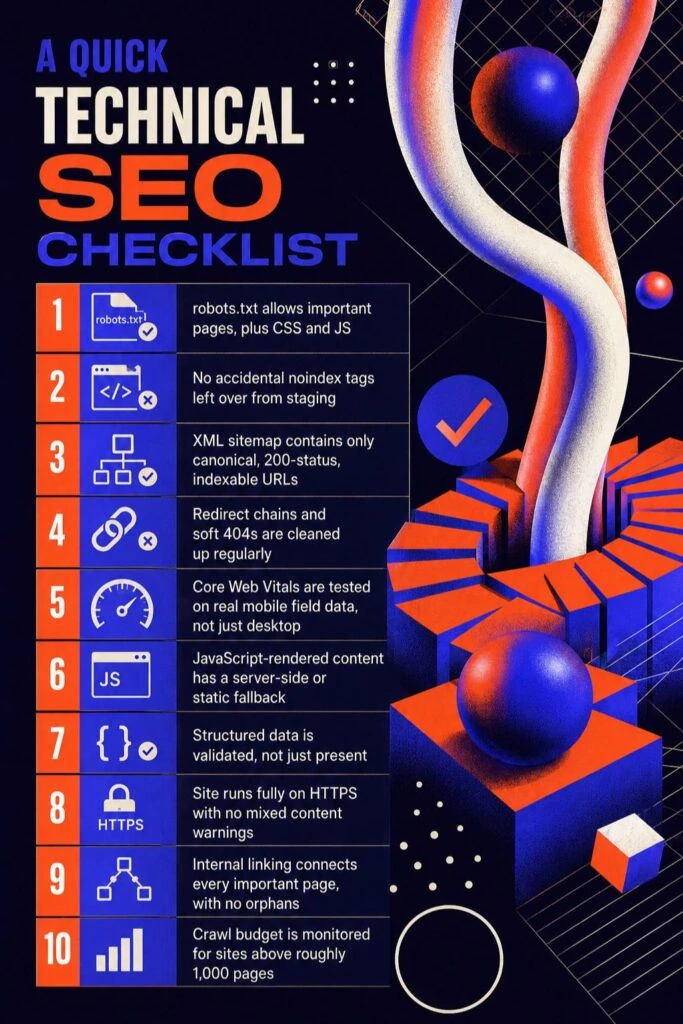
- robots.txt allows important pages, plus CSS and JS
- No accidental noindex tags left over from staging
- XML sitemap contains only canonical, 200-status, indexable URLs
- Redirect chains and soft 404s are cleaned up regularly
- Core Web Vitals are tested on real mobile field data, not just desktop
- JavaScript-rendered content has a server-side or static fallback
- Structured data is validated, not just present
- Site runs fully on HTTPS with no mixed content warnings
- Internal linking connects every important page, with no orphans
- Crawl budget is monitored for sites above roughly 1,000 pages
Read, Before You Go
Technical SEO is not glamorous work. It rarely produces a satisfying before-and-after screenshot the way a content redesign does. But it is the layer everything else depends on.
You can write extraordinary content and earn links from every authoritative site in your niche, and none of it will matter if search engines and AI crawlers cannot access, render, and understand your pages in the first place.
The sites that treat technical SEO as an ongoing discipline, not a one-time launch checklist, are the ones still standing (and still ranking) as the search world keeps shifting toward AI-driven answers.
People Also Ask
Q1. Is technical SEO still necessary now that AI Overviews and chatbots answer questions directly?
Of course, yes. Arguably more than before. AI engines still need to crawl and scrape your content to cite it as a source, so the same crawlability and structured data fundamentals apply.
Q2. What is the difference between technical SEO and on-page SEO?
Technical SEO deals with the infrastructure that lets search engines crawl, render, and index a site (speed, structure, schema, security). On-page SEO deals with the content itself on individual pages (keywords, headings, copy quality).
Q3. How often should a technical SEO audit be done?
A full audit every quarter is reasonable, with lighter monitoring (crawl errors, Core Web Vitals, indexation status) checked monthly through Google Search Console.
Q4. Can a site recover from a technical SEO penalty or crawl issue?
In most cases, yes, since technical issues (unlike some content quality penalties) tend to resolve relatively quickly once fixed, because they were blocking access rather than reflecting a genuine content quality judgment.
Q5. Does site speed actually affect rankings, or just user experience?
Both. Core Web Vitals (LCP, CLS, INP) are confirmed ranking factors, not just a UX nicety, so slow or unstable pages can be measurably outranked by faster competitors offering similar content quality.