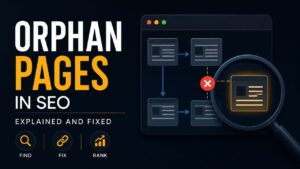
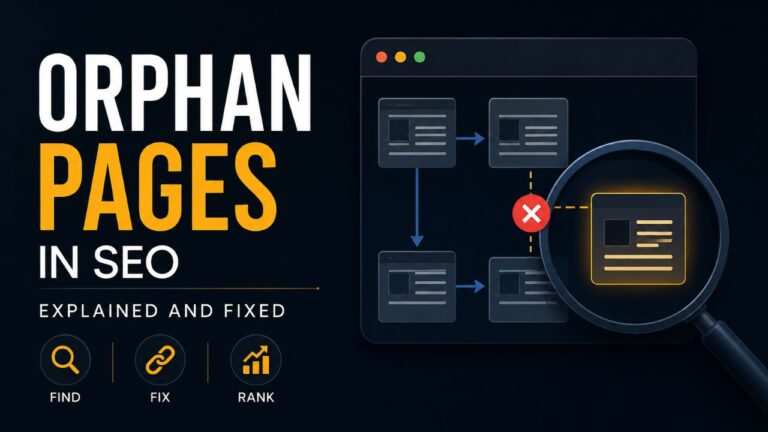
An orphan page is a web page that exists on a website but has no internal links pointing to it from any other page. Because these pages are not connected to the site’s internal linking structure, they can be difficult for both users and search engine crawlers to discover.
In SEO, orphan pages may not receive enough visibility, even if they contain valuable content. Without proper internal links, search engines may crawl them less frequently, reducing their chances of being indexed and ranking well in search results. Keeping all important pages connected through internal links helps improve website navigation and overall SEO performance.
What Are Orphan Pages in SEO?
Orphan pages in SEO are webpages that have no internal links pointing to them from other pages on the same website. Since they are not connected to the website’s internal linking structure, users and search engines may struggle to find them. Although these pages can still be accessed through their direct URL or an XML sitemap, they often receive less visibility, which can affect their crawling, indexing, and search engine rankings.
Why Do Orphan Pages Matter for SEO?
Orphan pages can limit your website’s SEO performance because search engines rely on internal links to discover and evaluate content. When a page has no internal links, it may be crawled less frequently or overlooked, reducing its chances of ranking in search results. A strong internal linking structure helps search engines understand your website, improves user navigation, and ensures that valuable pages receive the visibility they deserve.
Common Causes of Orphan Pages
Orphan pages are usually created unintentionally during website management. They can occur when new pages are published without internal links, old links are removed, website migrations are incomplete, or navigation menus are updated. Identifying these issues early helps keep your website well-structured and ensures that important pages remain accessible to both users and search engines.
How Orphan Pages Affect Your Website
Orphan pages can reduce your website’s overall SEO performance by making valuable content harder for search engines and visitors to find. These pages may receive fewer crawls, attract little or no organic traffic, and miss out on link equity passed through internal links. Over time, this can weaken your site’s structure and prevent important content from reaching its full ranking potential.
How to Find Orphan Pages
You can find orphan pages by performing an SEO audit with tools like Google Search Console, Screaming Frog, Ahrefs, or Semrush. These tools compare your website’s crawl data with your XML sitemap and analytics to identify pages that have no internal links. Regularly checking for orphan pages helps ensure that all important content is properly connected and easy for search engines to discover.
How to Fix Orphan Pages in SEO
Fixing orphan pages starts with adding relevant internal links from related pages, category pages, or your website’s navigation. If the page provides value, make sure it is connected to your site’s structure so users and search engines can easily find it. If the page is outdated or no longer needed, consider redirecting it or removing it to keep your website organized and SEO-friendly.
Best Practices to Prevent Orphan Pages
The best way to prevent orphan pages is to include internal links whenever you publish new content. Keep your website’s navigation organized, regularly perform SEO audits, and update older articles with links to relevant new pages. Following these practices helps search engines crawl your website more efficiently and ensures that every important page remains accessible.
Orphan Pages vs. Dead-End Pages
Although they may seem similar, orphan pages and dead-end pages are different. An orphan page has no internal links pointing to it, making it difficult to discover. A dead-end page, on the other hand, can be reached but doesn’t link to any other page on the website. Both can negatively affect user experience and website navigation, but they require different SEO solutions.
Common Mistakes to Avoid
A common mistake is publishing new pages without adding internal links from relevant content. Other mistakes include removing links during website updates, ignoring orphan pages during SEO audits, and relying only on XML sitemaps for page discovery. Regularly reviewing your internal linking structure can help prevent these issues and improve your website’s overall SEO performance.
Final Thoughts
Orphan pages may seem like a small issue, but they can have a significant impact on your website’s SEO and user experience. By maintaining a strong internal linking structure and regularly auditing your website, you can ensure that valuable pages are easy for both users and search engines to find. Fixing orphan pages is a simple yet effective step toward improving your website’s visibility, crawlability, and overall search performance.
Frequently Asked Questions
What is an orphan page in SEO?
An orphan page is a webpage that has no internal links pointing to it from other pages on the same website, making it difficult for users and search engines to discover.
Are orphan pages bad for SEO?
Yes, orphan pages can negatively affect SEO because they are harder for search engines to crawl and may receive less visibility in search results.
How can I find orphan pages on my website?
You can identify orphan pages using SEO tools such as Google Search Console, Screaming Frog, Ahrefs, or Semrush by comparing your website’s crawl data with its XML sitemap.
How do I fix orphan pages?
The best way to fix orphan pages is by adding relevant internal links from related pages, category pages, or your website’s navigation. If a page is no longer useful, consider redirecting or removing it.
Can orphan pages still be indexed by Google?
Yes, Google may still index orphan pages if they are included in an XML sitemap or have external backlinks. However, without internal links, they are generally more difficult to discover and may not perform as well in search results.